AI-Powered Learning

Free AI Homework Helper for Instant Step-by-Step Answers

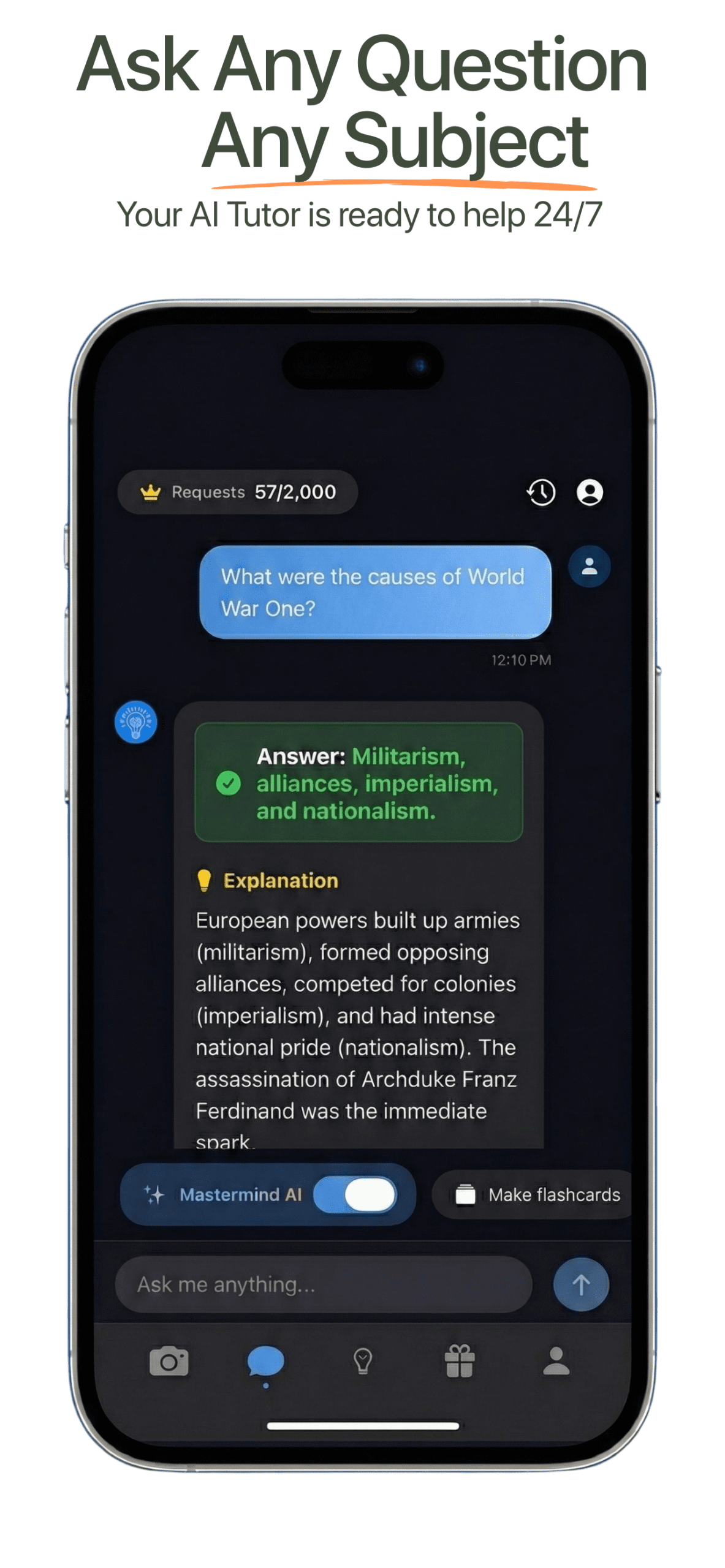
Get step-by-step solutions with our advanced AI homework solver. Upload photos or type questions for instant, accurate answers across math, science, English, history, and more.

93% accuracy 24/7 available Free plan available

Ask Your Question

No file chosen
Ctrl + Enter to submit  ·  Ctrl + V to paste a screenshot
Drag & drop a photo or PDF anywhere on this card — or paste a screenshot directly.
Free questions remaining: 30

Your Answer

...
Free Questions Remaining: 30
Keep going

Got what you needed?

Get the same step-by-step help on the question already open in your LMS. Start with 30 free requests, plus a refill every 12 hours. No card required.

Homework Solver

Get Clear Help for Any Assignment

Use Apex Vision AI when you need fast answers, detailed explanations, and study support that works from elementary level through college courses.

Instant Answers

Solutions in Seconds

Get accurate solutions to homework questions in under 10 seconds. No more waiting hours for tutors or struggling alone.

Photo and PDF Uploads

Snap, Upload, Solve

Upload a homework photo, worksheet, textbook problem, or PDF. The AI reads it with OCR and returns a clear walkthrough.

Step-by-Step

Learn the Process

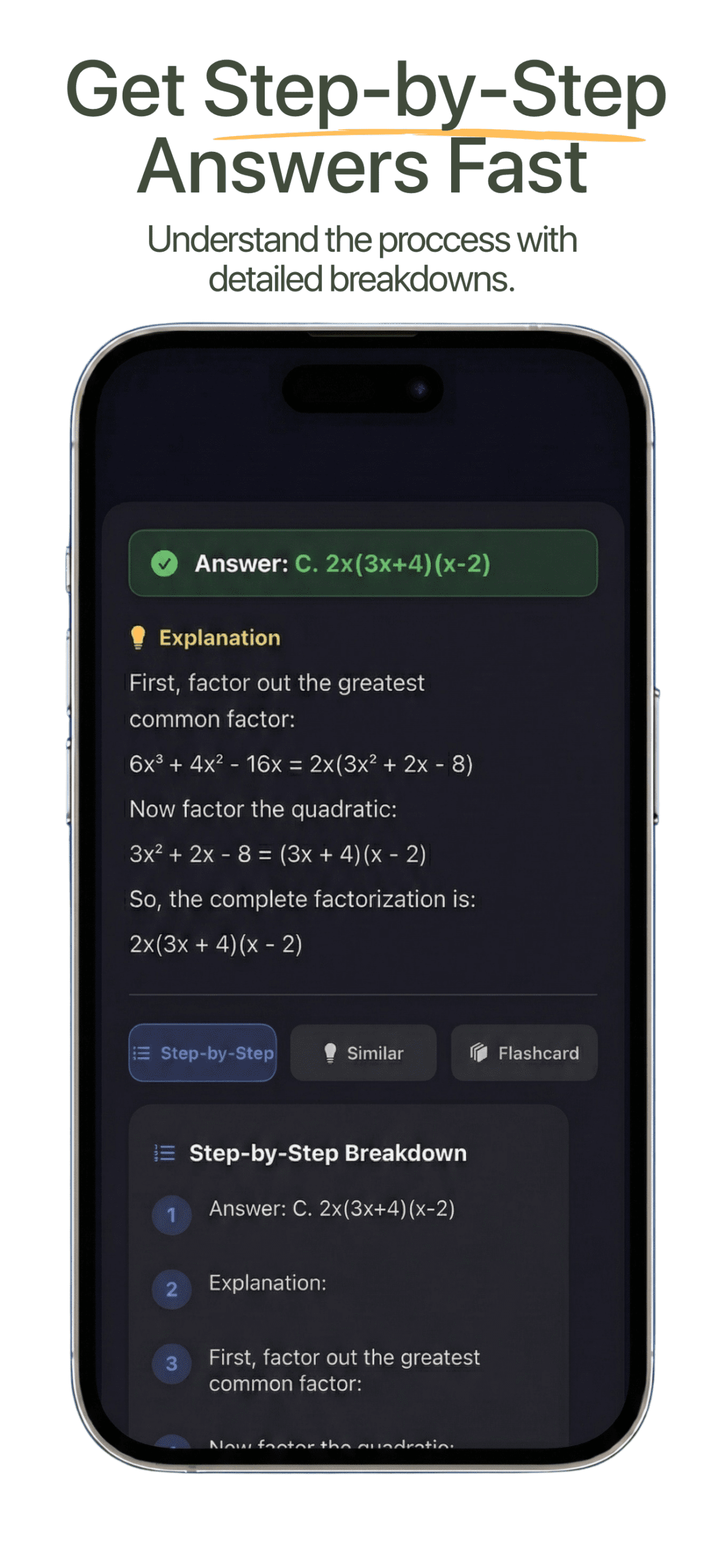
Every answer is broken into clear steps so you can understand the method and apply it to similar problems later.

All Subjects

From Math to History

Math, science, English, history, chemistry, physics, computer science, and more are supported in one place.

Free Daily Help

Free Request Allowance

Start with 30 free requests, plus a refill every 12 hours. No credit card required, and paid plans add 500 to 2,000 requests a month.

Always On

Study Anytime

Apex Vision AI is available 24/7, so you can get help whenever you need it most.

Chrome Extension

Want Instant Answers on Any Website?

See how the AI Chrome extension for homework help works across Canvas, Blackboard, and more than 100 learning platforms.

Works Where You Study

Canvas, Blackboard, and more

  • Use Apex Vision AI while browsing course pages and homework portals.
  • Open a side panel, toolbar, or keyboard shortcut when you need help.
  • Keep your workflow focused without copying every question into a separate tab.
Question Detection

Faster homework sessions

  • Ask for answers from typed questions, screenshots, images, and PDFs.
  • Use follow-up prompts when a concept needs a deeper explanation.
  • Get support for multi-step and open-ended problems.
Study Responsibly

Built to help you learn

  • Use step-by-step explanations like office hours or a solutions manual.
  • Review the reasoning before submitting your own work.
  • Turn hard questions into practice instead of guesswork.
Sample Questions

Try Questions From Any Class

Type a question, paste a prompt, or upload a worksheet. Apex Vision AI can help with the kinds of problems students ask every day.

How It Works

Get AI-Powered Homework Help in Three Steps

  1. Choose subject and level

    Select your topic and study level so the AI can tailor the response to your needs.

  2. Type or upload

    Enter your question or upload a photo or PDF of your homework problem.

  3. Get an instant answer

    Receive a clear, step-by-step solution in seconds, with follow-up support when you need more detail.

Subjects

AI Homework Help for All Subjects

Use Apex Vision AI from elementary through college level, across the classes where homework gets complex.

Mathematics

Equations, calculus, and more

Get help with equations, calculus, and AI-powered math solutions.

Science

Biology, chemistry, physics

Simplify complex science concepts with detailed explanations.

English

Reading and writing help

Analyze texts and themes with AI-driven insights.

Computer Science

Code and algorithms

Get help with algorithms, data structures, and coding concepts.

Chemistry

Reactions and theory

Simplify chemical reactions and theories with detailed explanations.

History

Events and context

Analyze historical events, themes, and timelines with clearer context.

More Study Tools

Build a Complete Study Workflow

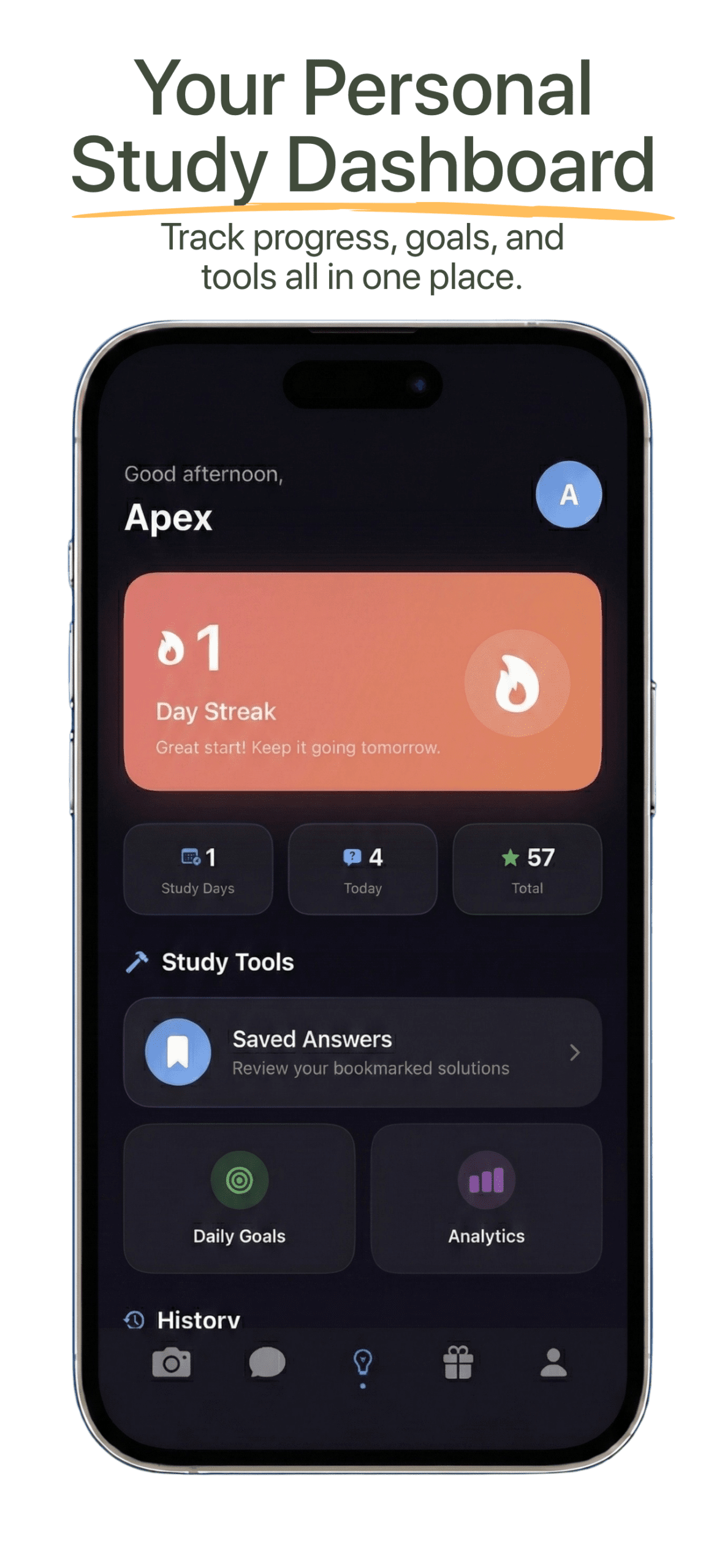
Use homework help with study guides, flashcards, practice exams, math solving, and essay writing.

The basics

What Is an AI Homework Helper?

A plain explanation of what these tools do, how they differ from a tutor or an answer site, and where they genuinely help.

An AI homework helper is software that reads a homework question and returns a worked explanation rather than only a final answer. You give it the question — typed, pasted, photographed, or detected directly on the page you are working on — and a language model produces the reasoning steps, in seconds, at any hour.

The category covers four fairly different things, and the differences matter more than the marketing suggests:

ApproachHow it worksBest forMain weakness
Answer libraries A database of previously solved textbook problems, written by people Standard problems from a common textbook edition Useless if your exact question is not already in the library
General chatbots You paste the question into a separate chat window Open-ended writing, concept explanation, brainstorming No course context, and it cannot see the diagram or answer choices
Photo solvers Your phone camera reads a printed or handwritten problem Maths from a textbook or worksheet, away from a computer Mostly maths-only; little help with essays or reading
Browser study assistants An extension reads the question already open on your screen Coursework inside an LMS, including images and options Only works where you study in a browser

Apex Vision AI is the fourth kind, with a photo solver built in. That choice is deliberate: most of the friction in getting homework help is not the answer itself, it is the copying — retyping a question, cropping a diagram, losing the answer choices along the way.

Under the hood

How AI Homework Helpers Actually Work

Four stages sit between your question and the explanation you read. Knowing them tells you where the answer is most likely to go wrong.

1. Reading the question

Typed text is straightforward. An image is not: the tool runs optical character recognition and vision analysis to turn pixels into a question, including any diagram, graph or table. This is the first place errors creep in. A poorly cropped screenshot that clips an exponent, or handwriting that turns a 7 into a 1, produces a confident answer to the wrong question.

2. Working out what is being asked

The tool has to identify the subject, the question format and what a correct response looks like. A multiple-choice item needs the options; a proof needs a structure; a short-answer question needs a specific claim. Tools that only capture the question stem and drop the answer choices are noticeably worse at multiple choice, because the distractors carry information about what the question is testing.

3. Generating the reasoning

A large language model produces the working. It is genuinely good at recognising the shape of a problem and applying a standard method. It is weaker at long arithmetic chains, where a single slip early on propagates silently to a wrong final line that still looks plausible.

4. Presenting the steps

The output is formatted into steps you can follow. This is the part that decides whether the tool teaches you anything. An answer with no working is only useful once; an answer with working is reusable on the next question of the same type.

A real example

What a Good Explanation Looks Like

The difference between an answer and an explanation, on a question where the fast answer is easy to get wrong.

Question

A train travels 60 km at 30 km/h, then 60 km at 60 km/h. What is its average speed for the whole journey?

The tempting answer is 45 km/h — the average of 30 and 60. It is wrong, and it is the answer most people give under time pressure.

The working

  1. Average speed is total distance divided by total time, not the average of the two speeds.
  2. Total distance = 60 + 60 = 120 km.
  3. Time for the first leg = 60 ÷ 30 = 2 hours.
  4. Time for the second leg = 60 ÷ 60 = 1 hour.
  5. Total time = 3 hours, so average speed = 120 ÷ 3 = 40 km/h.

How to check it: the answer must sit closer to the slower speed, because the train spends more time going slowly. 40 is below the midpoint of 45, which is the right direction. If a tool hands you 45 with no working, that sanity check is the only thing standing between you and a lost mark.

Honest limits

What AI Homework Help Is Reliable For

Accuracy is not uniform across subjects. Treating it as though it is will cost you marks.

TaskHow dependableWhat to watch for
Defining a conceptStrongOccasionally uses a different convention than your course
Routine algebra and calculusStrongCheck the final arithmetic rather than the method
Reading comprehensionStrongNeeds the full passage, not a fragment
Essay structure and argumentGoodProse is generic unless you rewrite it in your own voice
Multi-step word problemsMixedSet-up is usually right; arithmetic slips are common
Diagram interpretationMixedDepends heavily on image quality and cropping
Formal proofsWeakSkips the step carrying the marks and still reads convincingly
Edition-specific textbook questionsWeakMay answer a similar question from a different edition
Anything citing sourcesWeakReferences can be fabricated; verify every one

Four things no AI homework helper can do

  • Know your course. It has not read your syllabus, your lecturer's notation, or the method you were told to use.
  • Tell you when it is wrong. A wrong answer is delivered with exactly the same confidence as a right one.
  • Replace understanding. If you cannot reproduce the reasoning without it, you have not learned the material and an exam will show that.
  • Decide what is allowed. Your instructor and institution set the rules, not the tool.
Practical

How to Check an AI Answer Before You Submit It

Five checks that take under a minute and catch most of the errors these tools make.

  1. Estimate first. Decide roughly what the answer should be before you read the one you were given. An answer that fails a rough sanity check is wrong regardless of how tidy the working looks.
  2. Check the units. A large share of numerical errors show up as a unit that does not make sense for the quantity being asked about.
  3. Substitute back. For an equation, put the solution into the original expression and confirm both sides match.
  4. Match the method to your course. If your class was taught one technique and the explanation uses another, you may lose marks even with a correct final answer.
  5. Verify every citation. If a source is named, find it. Fabricated references are the most common way AI-assisted work is caught.

If an explanation survives all five, you can trust it enough to learn from. If it fails one, ask a follow-up question rather than accepting the first response — pushing back on a specific step is usually enough to surface the mistake.

For where the line sits between legitimate study help and academic misconduct, see is using AI for homework cheating? and our academic integrity policy.

FAQ

AI Homework Helper Questions

Answers to the most common questions about using Apex Vision AI for homework.

How does the free request allowance work? +
Start with 30 free requests, plus a refill every 12 hours.
What file types can I upload? +
You can upload JPEG, PNG, GIF images and PDF documents up to 5 MB.
Is Apex Vision AI suitable for all education levels? +
Yes. Apex Vision AI tailors explanations from elementary through college level based on your selection.
Can I use it to prepare for exams? +
Yes. You can review key concepts, practice likely exam questions, and get step-by-step walkthroughs to build confidence.
How does it handle multi-step or open-ended problems? +
The AI breaks down solutions into clear steps and can offer follow-up prompts for complex questions.
Is this considered cheating? +
When used responsibly, it is a learning aid like office hours, tutoring, or a solutions manual. Use the explanations to understand the work and follow your school's academic integrity rules.
Start Learning Smarter Today

Solve Any Homework Problem with Apex Vision AI

Access homework help, math solving, flashcards, practice exams, and study guides in one AI-powered workspace.

Add to Chrome